If your mental image of a medical alert system is a plastic pendant and a base station plugged into a landline, it's time for an update. The category has been reinvented over the past few years, and 2026's options are smaller, smarter, and far less stigmatizing than what came before. Here's what's changed — and what to look for if you're shopping for yourself or a parent.
From Pendant to Wristwatch
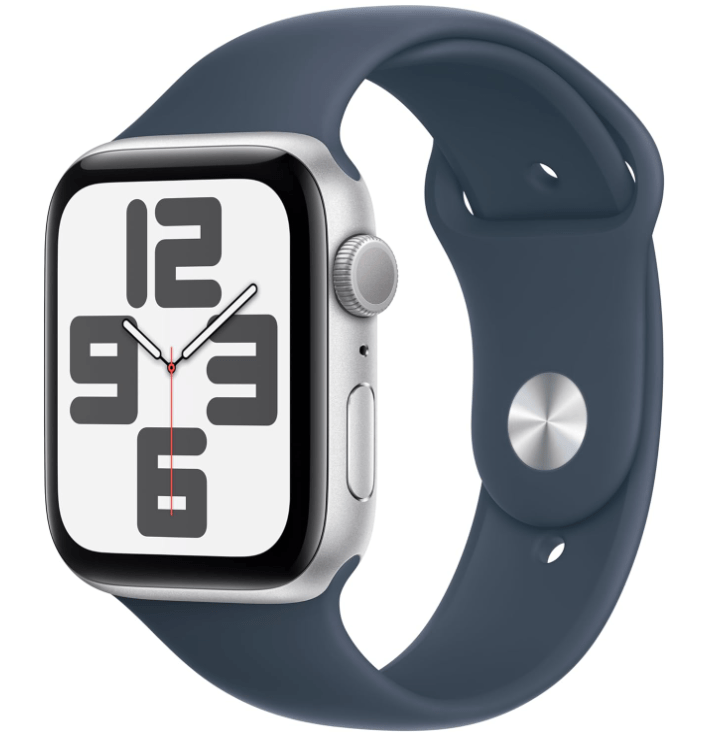
The biggest visible change: many of today's alert devices look like ordinary smartwatches. That matters more than it sounds, because the best alert device is the one that's actually being worn. A watch that tells time, counts steps, and happens to summon help in an emergency gets worn all day; a pendant that announces "medical device" often ends up in a drawer. If a watch is the goal, our smart watch guide for seniors pairs well with this article.
Automatic Fall Detection Is Now the Headline Feature
Older systems required you to press a button after a fall — a real problem, since serious falls can leave a person unable to reach or press anything. Current devices use motion sensors to recognize a hard fall and start a call automatically if you don't respond. No sensor is perfect (expect the occasional false alarm from a dropped device), but for seniors who live alone this feature has become the main reason to buy.
No Landline, No Problem
Modern systems run on cellular networks and GPS, which changes who they're for. Coverage no longer stops at the front door: the same device works in the garden, at the grocery store, and on vacation. For active seniors, mobile coverage — not in-home coverage — is now the default expectation.
Monitored vs. Unmonitored: The Real Decision
The market has split into two camps, and this is the decision that matters most:
Monitored systems charge a monthly fee and connect you to a 24/7 response center staffed by real people who can dispatch help and stay on the line. Unmonitored devices have no monthly fee and instead auto-call and text a list of family contacts (and can be set to call emergency services). Monitored means professional response but an ongoing cost; unmonitored means no subscription but help depends on someone picking up. Neither is wrong — it depends on budget, family availability, and how much reassurance you want.
A Quick Checklist Before You Buy
Whatever you choose, check these six things: battery life (daily charging is a real burden for some users), water resistance (falls happen in showers), fall detection accuracy, whether the monthly fee — if any — fits the long-term budget, range and cellular coverage in your area, and how easy the SOS action is with limited dexterity. If the wearer has arthritis or tremors, try the button action before committing.
The Bottom Line
Medical alert systems finally look and feel like consumer products rather than hospital equipment — which means the right one is likelier than ever to be worn, charged, and working on the day it matters. Pair one with the home-safety basics in our home safety checklist and the daily-health tools in our home automation guide, and you've covered the essentials of independent living.